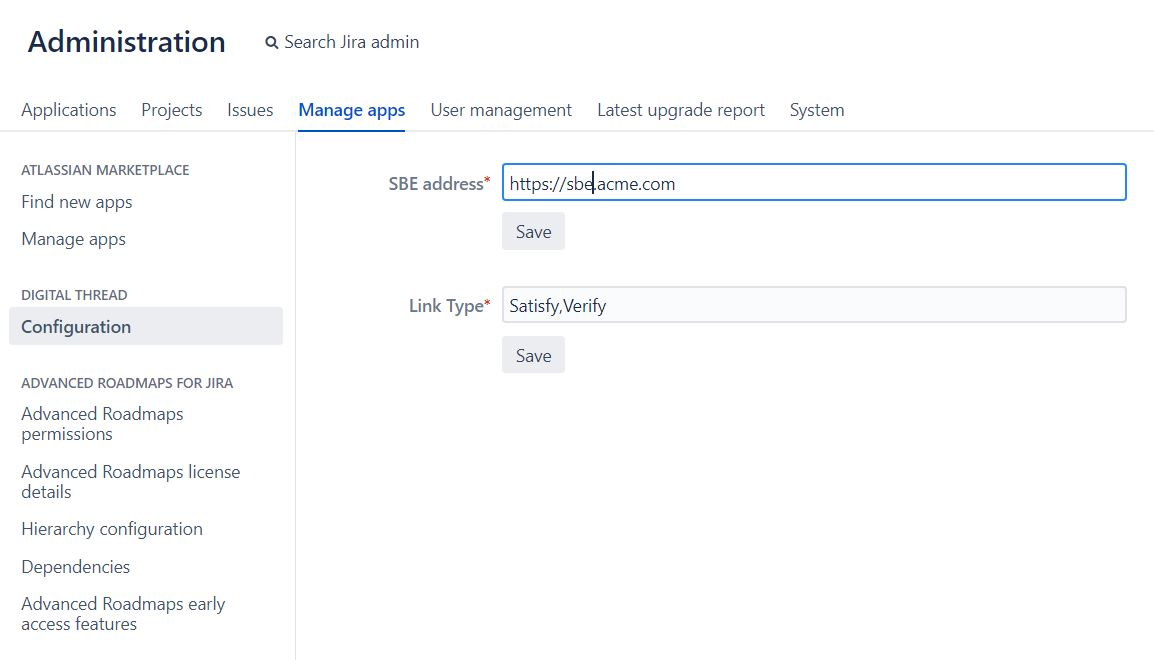
Jira Server Plugin Installation / Configuration
Login as Admin to the Jira Server and navigate to the System -> Manage apps page.
Using the Upload app button, upload the obr/jar file to install the SBE Digital Thread plugin
Configuration
To use the Jira Cloud Digital Thread plugin, we need to first configure it.
This can be done from the admin page.
Goto page
System->AppsWe should see
Digital Threadoption on the navigation section (left hand side).Enter the hostname for the SBE instance, eg: https://sbe.acme.com
The Link types can be configured here, the field takes a Comma separated values, the types configured will show up on issue as a dropdown.