
Jira Installation / Configuration
Installation and Configuration
Deploy Jira Adapter:
Set the helm variable “jira_features_enabled” to true.
--set global.jira_features_enabled=true
1. Configure
1.1 Configure data source properties
Ensure the data source definition contains the following properties:
Name | Description |
|---|---|
host | Host name of the Jira instance |
port | Port at which Jira Instance runs, eg: 443 |
uriScheme | Http or https |
authType | String value, can have value Token or Basic. Based on user input Authorization type will be basic or bearer token. |
proxyHost | Host name of proxy server |
proxyPort | port number of proxy server. |
apiToken | plugin API Token (applicable to Jira cloud) |
apiUrl | Plugin API URL (applicable to Jira cloud) |
displayNameProperty | String value to customize display name, valid values are |
The data source definition must contain the following Datasource properties which will also act as properties that make up the Channel definition
Name | Description |
|---|---|
projectArea | The project key, eg: SAT |
release | If we want to restrict channel definition to a version in Jira. eg: 1.0.0 |
component | If we want to restrict channel definition to a component in Jira. |
Note: The
projectAreachannel property must be specified using the project key, not the project name.
1.2 Configure Custom Properties in Jira
Add new custom property
SBE Correlation Infofor the all Issue types.Create a new custom property by navigating to
Settings --> Issues --> Custom fields --> Add custom fieldBegin by selecting a single-line text or short-text field, then click “Next.”
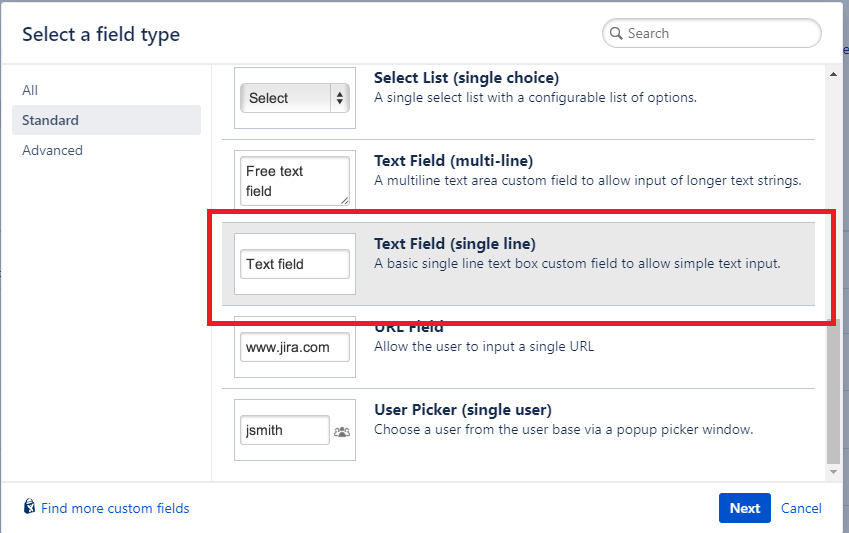
Provide a name,
SBE Correlation Infoand add a description. Once done, click “Next.”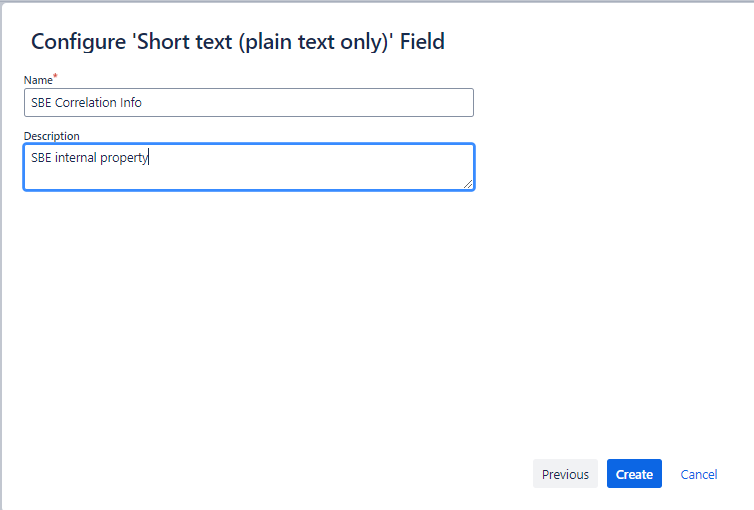
Select
All issue typesand specify the desired context. Finally, click “Create.”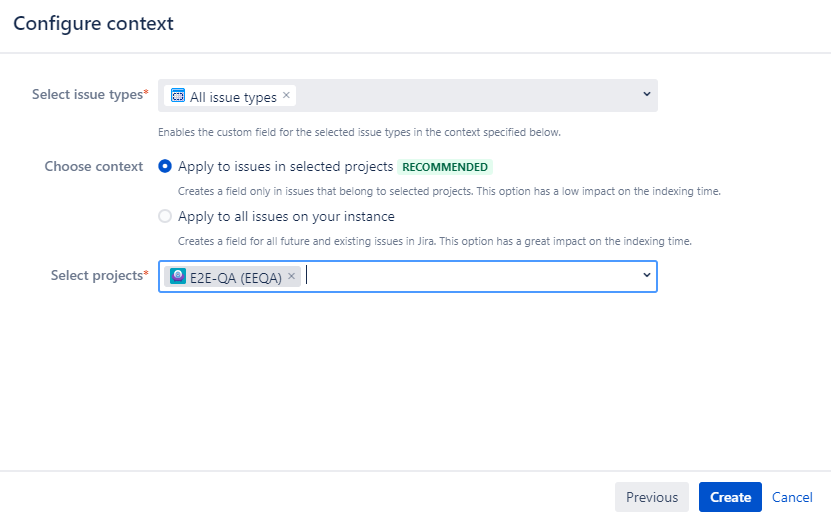
Note: Property name must be
SBE Correlation Info.Configure project screens to include the recently created custom field.
Add the new custom property to the desired screens by navigating to
Settings --> Issues --> ScreensBegin by selecting a screen where you want to add a custom property. Then, click “Configure” to proceed.
On the “Field” tab, enter the field name as
SBE Correlation Infoand then select “Add.”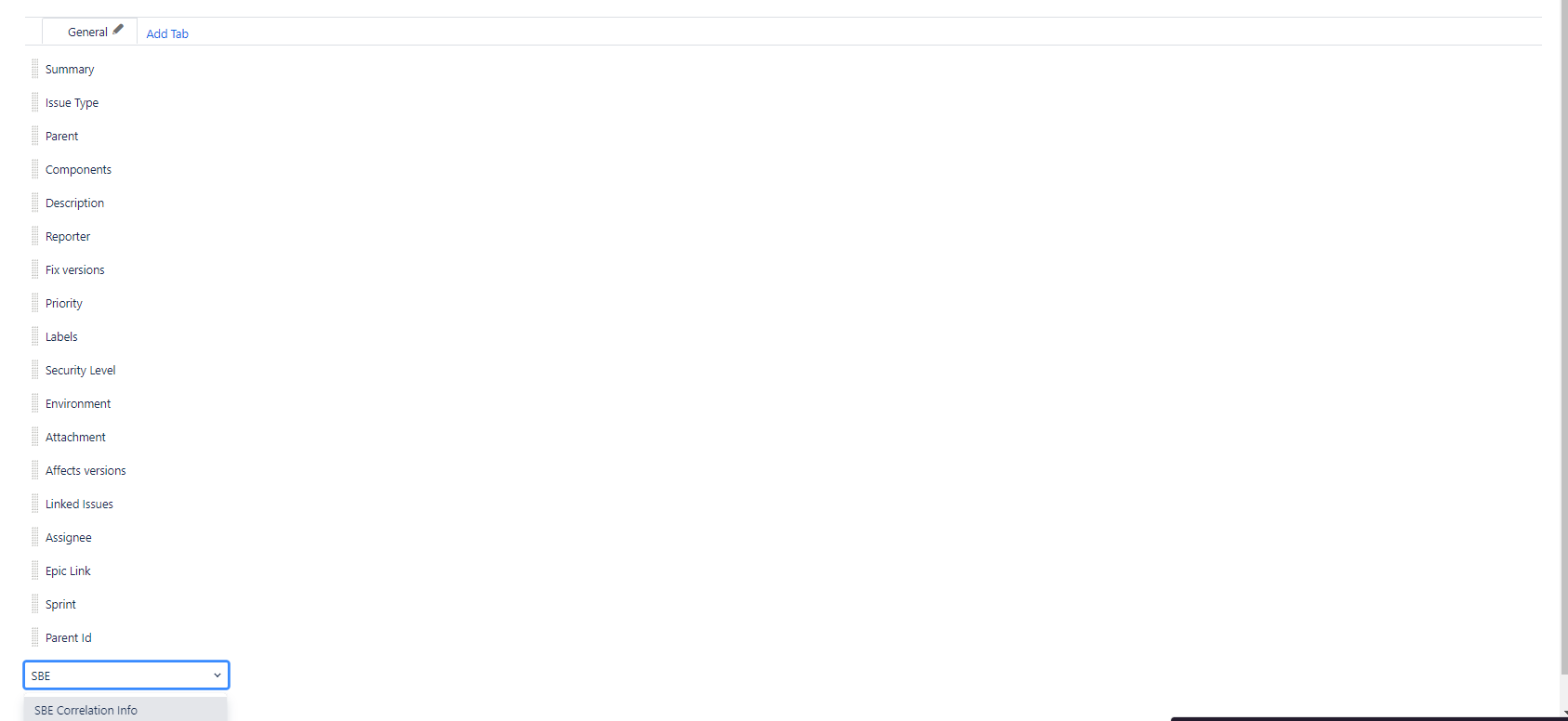
After adding the custom property, ensure it is available on all the default screens and any custom issue screens you may have.
Install Jira Cloud Plugin (Optional)
The Jira Cloud Digital Thread plugin can be installed using this link.
Refer to the Usage Guide for detailed configuration steps.