Jira Usage Guide
Subscriptions/Refresh
The
Typeof theIssueis determined from theSTEREOTYPEshape, if none is provided, propertyissueTypeis used, if none was found, default type ofStoryis used.Only properties available on the respective screens (Update/Create) are supported.
Issue deletion depends on user permissions.
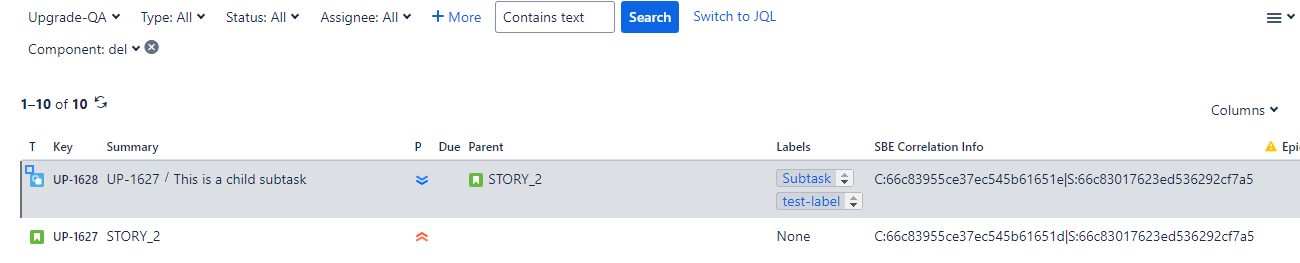
Ensure the
SBE Correlation Infocustom property is created before running the refresh. Refer to section 1.2 of theInstallationguide for detailed steps.
Jira Authentication
Authentication process differ between Jira Server and Jira Cloud environments.
Jira Server Authentication
In Jira Server environments, basic authentication is supported, allowing users to authenticate using their username and password.
Jira Cloud Authentication
In Jira Cloud, authentication follows a different approach, common to many modern applications. Users are required to generate an access token to make REST API requests.
This token replaces the traditional username and password authentication method. The following are the steps to generate cloud token.
Token for Jira Cloud
To publish from Jira Cloud, users need to use an API token as the password and the email address as the username.
Steps to generate an API token:
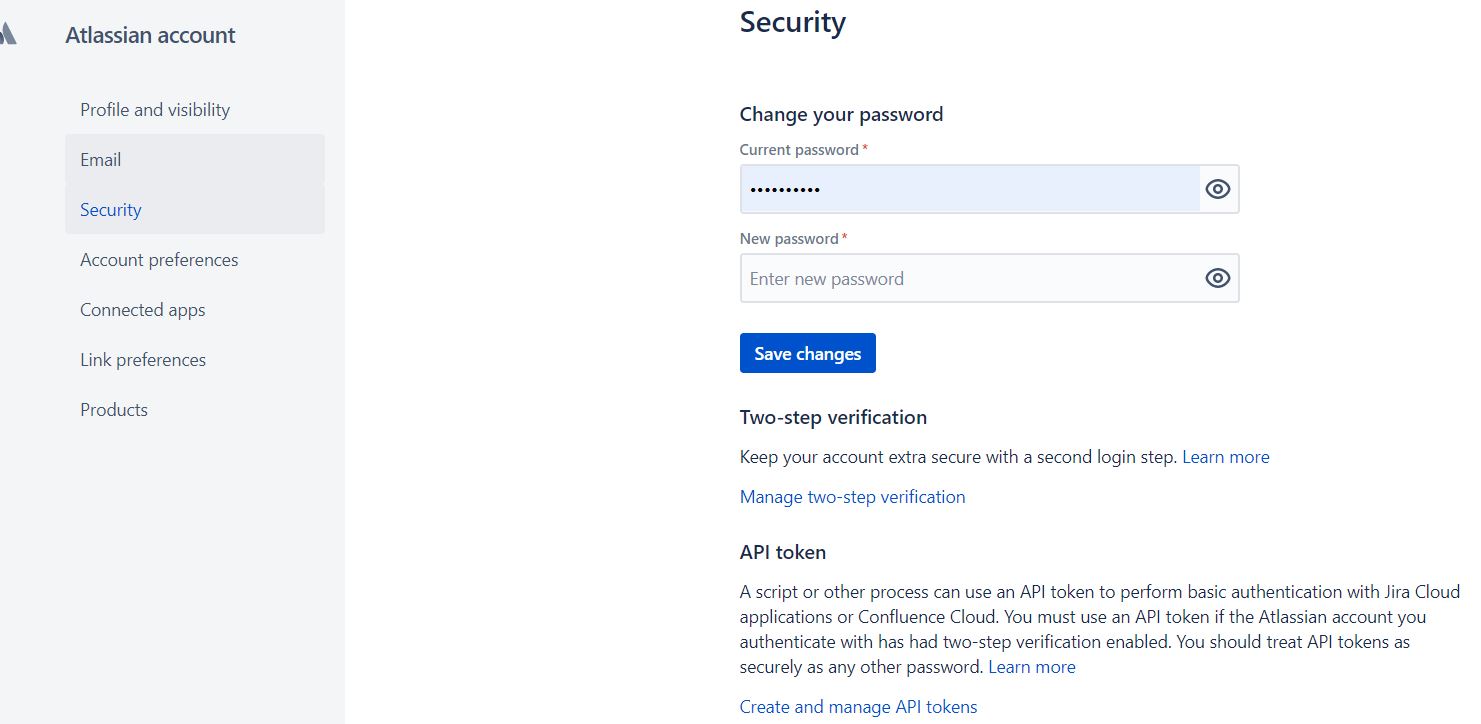
Click on the
Manage Accountbutton from the top-right user profile.You will be taken to the profile page.
Go to the
Securitypage and under theAPI tokensection, click onCreate and manage API tokens.Click on the
Create API tokenbutton to generate a new token. Save the token in a secure location as it cannot be retrieved after creation.
For more details, refer to Jira Documentation.
Jira Plugin
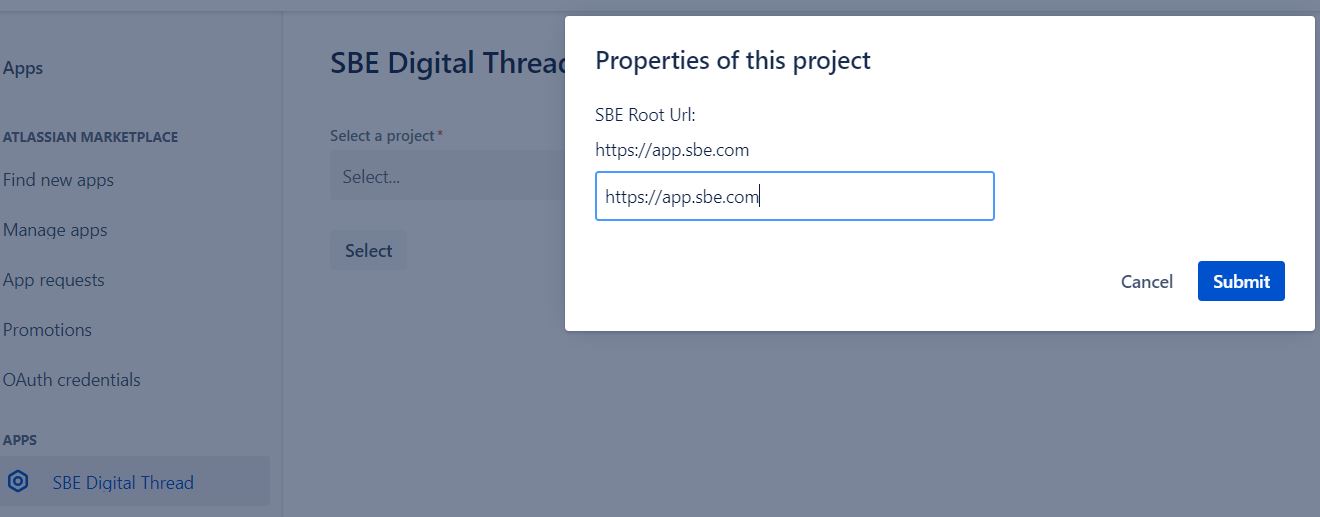
To use the Jira Digital Thread plugin, it must be configured to point to the SBE server. This can be done from the admin page.
Steps to configure:
Go to
Settings->Apps.You should see the
SBE Digital Threadmenu option on the left-hand side.Select the Project and enter the root URL for the SBE server, e.g.,
https://demo.sbe.com.
Upgrade Guide SBE 6.6.x to 7.x
Prerequisites
Pre-Upgrade for SBE 7.x
Links can only be upgraded if the
pre-Upgradesteps were executed in Wakefield (SBE 6.x).This step should be run in SBE 6.x
The following action need to be executed via Postman. The payload is similar to that used in the publish operation, with the only difference being the command type:
Command Type:
pre-upgradeThis command is used to gather information for the SBE 7.x upgrade.
{
  "_content": "RESOURCE",
  "_distribution": "direct",
  "_type": "JIRA-CMD",
  "_name": "Jira Publish",
  "_subject": "pre-upgrade",
  "_dataSourceType": "JIRA",
  "_dataSource": "JIRA_SOURCE_1",
  "_channel": "{{channelNumber}}",
  "_credentials": {
    "username": "{{JIRA_username}}",
    "password": "{{JIRA_password}}",
    "authType": "ldap"
  }
}
Required property
Add a new custom property,
SBE Correlation Info, for all issue types. Refer to section 1.2 of theInstallationguide for detailed steps.
Note: Ensure the
SBE Correlation Infocustom property is created before running the upgrade.
Required mappings
Update Jira mappings: Wakefield -> Woburnield
Woburn
Wakefield | Woburn |
|---|---|
Relation - |
|
Property - |
|
Shape Type - |
|
Shape Type - |
|
Run Upgrade
Run the upgrade.
After the upgrade, the
SBE Correlation Infoproperty must be populated for all subscribed issues.
Before:
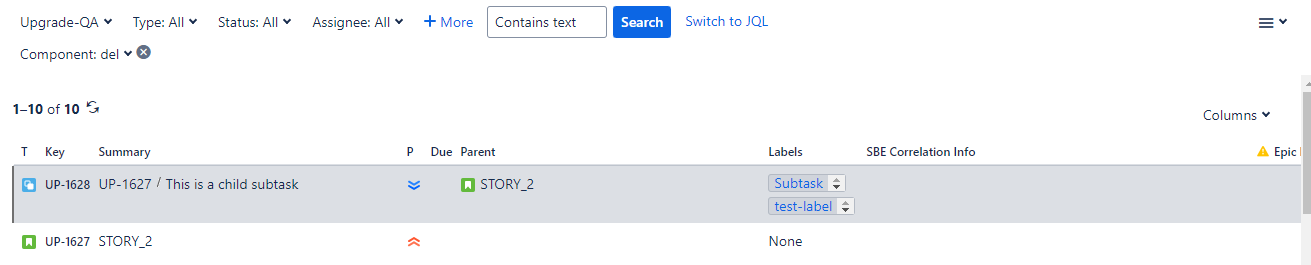
After: